
mParivahan RC Check: Validity, Status & Download (2026)
“RC check” can mean several different things. A car owner checking whether their registration has expired, a buyer waiting for an ownership transfer, and someone who applied for a duplicate RC three weeks ago and heard nothing are all doing an “RC check”, but each needs a different screen and different details.
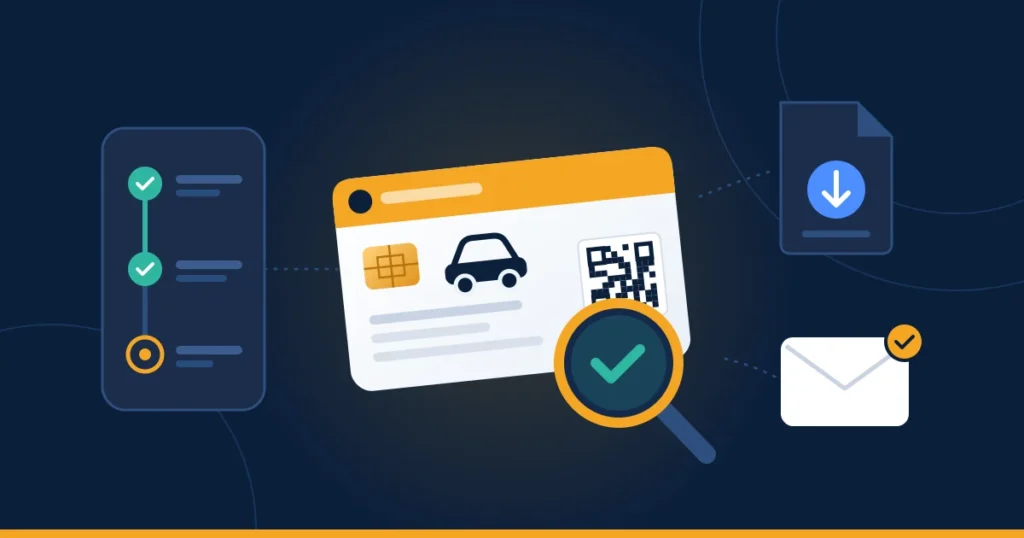
This guide sorts out which check you need, where to do it, and what the result means. It also covers the 2026 changes, including states moving away from printed RC cards.
Quick answer: To check whether your RC is valid, open NextGen mParivahan and look at My RC, or use RC Search with your registration number. To track an RC application (new registration, transfer, duplicate, address change), go to the Vahan citizen portal and use Know Your Application Status with your application number. If your card is delayed, your Virtual RC in mParivahan is legally valid in the meantime.
Which RC Check Do You Need?
| Your situation | Where to check | What you need |
|---|---|---|
| Is my RC still valid? | mParivahan: My RC or RC Search | Registration number |
| I applied to the RTO. Where is my application? | Vahan portal: Know Your Application Status | Application number |
| Approved, but the card hasn’t arrived | Vahan application status, then your RTO | Application number |
| I need a copy right now | mParivahan Virtual RC, DigiLocker, or Vahan RC Print | Registration number + chassis/engine digits + OTP |
| I bought a used car. Is it in my name yet? | mParivahan RC Search | Registration number |
Check 1: Is Your RC Still Valid?
Open mParivahan and look at Fitness/REGN Upto on your Virtual RC, or run an RC Search on your registration number. If you haven’t added your vehicle yet, the steps are in our Virtual RC guide.
What the date means for a private vehicle:
- A new private vehicle’s registration is valid for 15 years from the date of registration.
- After that, it must be renewed every 5 years, and each renewal needs a fitness inspection and, in most states, a Green Tax.
- You can apply for renewal (Form 25 on Vahan) up to 60 days before the expiry date. Applying early avoids any gap.
What happens if the date has passed: a vehicle with expired registration is legally treated as unregistered. Driving it can bring a fine of up to ₹5,000 for a first offence, plus problems with insurance claims. If your RC shows a past date, stop using the vehicle on public roads until you’ve applied for renewal.
Delhi-NCR is different. The National Green Tribunal (NGT) has set separate end-of-life age limits for older diesel and petrol vehicles in Delhi-NCR, which go beyond the usual RC validity rules. Before renewing an older vehicle registered there, check the current Delhi Transport Department guidance.
For commercial vehicles, the date to watch is the fitness certificate. It must be renewed every two years until the vehicle is eight years old, and every year after that.
Check 2: Track Your RC Application on Vahan
Whenever you apply for an RC service, such as new registration, ownership transfer, duplicate RC, address change or hypothecation removal, Vahan issues an application number. That number is how you track the application.
Steps:
- Open the Vahan citizen services portal at vahan.parivahan.gov.in/vahanservice/.
- Go to the Status menu and select Know Your Application Status.
- Enter your application number and the captcha.
- Submit to see where your application is in the process.
Where to find your application number: it’s printed on the receipt you downloaded after paying fees, and it’s in the confirmation SMS sent to your registered mobile number. If you lose both, the RTO can look it up from your registration number.
How to read the result: an RC application normally moves through fee payment, document verification, inspection where required, approval, and finally printing and dispatch. The exact labels differ slightly between states. What matters is which stage it’s stuck at:
- Stuck at verification: the RTO may need a document from you. Check your SMS messages, or visit the RTO with your receipt.
- Stuck at approval for weeks: raise a grievance on the Parivahan portal with your application number.
- Approved but not printed: see Check 3.
Check 3: RC Approved, but No Card Yet
Approval and delivery are separate steps. After approval, the RC is printed (often centrally) and sent by post to the address in your record. Delays at this stage are common and usually have nothing to do with your application. For example, Punjab built up a backlog of more than 2.5 lakh unprinted RCs and driving licences during a smart-card shortage.
What to do while you wait:
- Carry your Virtual RC in mParivahan. Your record is updated as soon as the RTO approves the application, so the Virtual RC is legally valid even while the printed card is delayed.
- Confirm your address. Cards are posted to the address on your record. If you’ve moved, the card will go to the old address.
- Ask the RTO for the dispatch details if the status shows the card as dispatched but nothing has arrived. Some states also run delivery helplines.
The 2026 Change: Tamil Nadu Goes Fully Digital
In September 2026, Tamil Nadu stopped issuing physical smart-card RCs and driving licences. Applicants now receive QR-coded digital copies instead. These are accepted by traffic police, RTO officials and other enforcement agencies, and are issued once registration is complete.
- Cost: the digital copy is free online. Previously, the smart card cost ₹250 including Speed Post.
- Printouts: if you still need a paper copy, you can get a printout from e-Seva centres from 15 September 2026.
If you’re in Tamil Nadu, there is no card to wait for. Your RC check ends with downloading the digital copy. Other states may follow. Check your state transport department’s notices before assuming a card is on its way.
Check 4: Get a Copy of Your RC Right Now
There are three official routes. Each is suited to different uses:
| Copy | Where | Best for | Valid at roadside checks? |
|---|---|---|---|
| Virtual RC | mParivahan app | Traffic police checks, daily use | Yes, shown live with its QR code |
| Issued Document | DigiLocker | Keeping alongside your other IDs; sharing with insurers | Yes, shown live in the app |
| RC Print (PDF) | Vahan citizen services | Paperwork: loans, insurance, transfers | Use the app versions on the road |
DigiLocker steps: sign in → Issued Documents → Get More Issued Documents → Ministry of Road Transport and Highways → Registration of Vehicles → enter your registration and chassis numbers → Get Document.
Vahan RC Print: in Vahan citizen services, log in, choose the download or print option, select RC Print, validate the vehicle details, and confirm with the OTP sent to your registered mobile number. The exact menu label varies by state.
A screenshot or photo of your RC is not a valid document. Officers verify the live QR code, and a static image can’t be verified.
Check 5: Confirm a Used-Car Transfer Went Through
After buying a used vehicle, the RC check that matters is whether you are now the owner on record. Run an RC Search on the registration number and look at the masked owner name. The initials should be yours.
- Old owner’s initials still showing: the transfer hasn’t completed. Use your application number in Know Your Application Status to see where it’s stuck.
- Transfer stuck: a common cause is unpaid challans or FASTag dues on the vehicle, which now block transfers. The seller has to clear them.
- Loan on the vehicle: if the seller had a loan, add the vehicle as a Virtual RC once it’s in your name and confirm the lender (hypothecation) no longer appears. If it still does, the Form 35 termination wasn’t completed, and you’ll have trouble when you sell or need to file an insurance claim.
Until the transfer completes, every challan on that vehicle goes to the seller, and every insurance claim is complicated. Follow it up actively; don’t assume it will sort itself out.
Avoid Fake “RC Check” and “RC Download” Sites
Search for “RC download” and you’ll find many sites with “parivahan” in their domain name. Many of them end in .com or another extension instead of .gov.in. Some are just information pages. Others ask for your registration number, mobile number and OTP, or charge a fee for a “PDF RC”. That PDF isn’t legally valid, and you’ve handed over details that can be misused.
The rule: official RC services are only on parivahan.gov.in and its sub-domains, the NextGen mParivahan app published by the National Informatics Centre, and DigiLocker. All of them are free to use.
Quick Fixes for Common RC Check Problems
| Problem | Likely cause | Fix |
|---|---|---|
| “Application not found” | Wrong number, or wrong state selected | Copy the number exactly from your receipt; check the state |
| Status unchanged for weeks | Pending at RTO verification or approval | Visit the RTO with your receipt, or file a Parivahan grievance |
| RC shows wrong details after approval | Data-entry error at the RTO | Apply for a correction at the RTO with supporting documents |
| Virtual RC won’t add | Mobile number not updated in Vahan | See our mobile update guide |
Frequently Asked Questions
How long does an RC application take?
It varies by state and service. Approval often takes a few days to a few weeks, and printing and delivery can take longer when a state has a backlog. Your Virtual RC becomes valid as soon as the record is updated.
Can I check RC status without the application number?
You can check the vehicle’s RC validity with just the registration number. To track an application, you need the application number, or the RTO can look it up for you.
Is a downloaded RC PDF valid for traffic police?
For roadside checks, show your RC live in mParivahan or DigiLocker. The PDF is useful for paperwork.
My RC expired. Can I still drive while renewal is pending?
Apply before the expiry date, ideally within the 60-day window, so there’s no gap. Once it has expired, the vehicle is treated as unregistered until it’s renewed.
Does Tamil Nadu still give physical RC cards?
Not since September 2026. You get a QR-coded digital RC, and printouts are available at e-Seva centres.