
mParivahan App Review 2026: Features, Updates & Tips
Most people install NextGen mParivahan to do one thing, such as saving their RC or checking a challan, and never look at the rest of the app. That’s a missed opportunity. Through 2026 the app has added services that have little to do with documents, including reporting traffic violations, accident-victim support, and checking the validity of every vehicle linked to your mobile number.
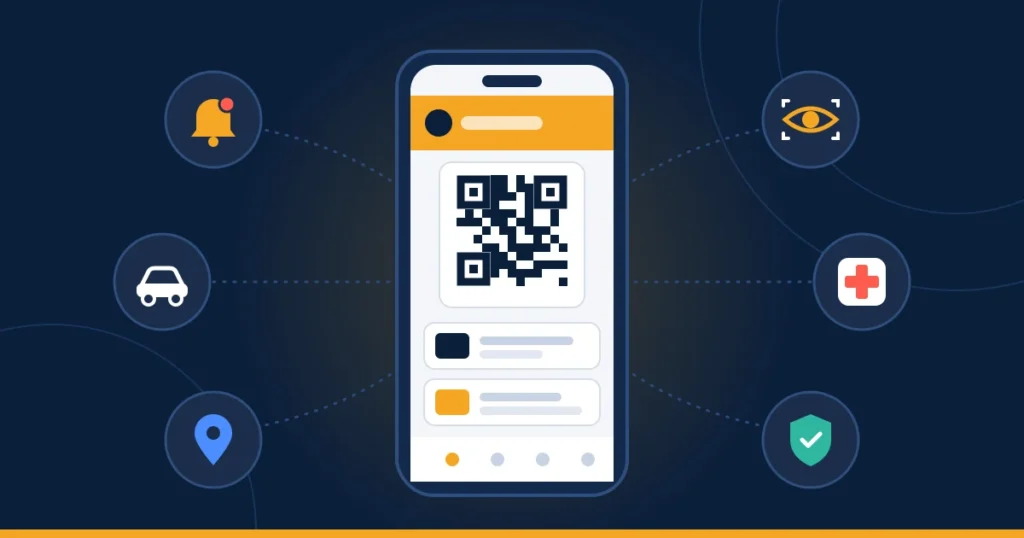
This review covers what the app does today, what changed this year, which features are worth finding, what users actually complain about, and how it compares with the private vehicle-info apps that compete for the same downloads.
Quick verdict: If you own or drive a vehicle in India, install it. NextGen mParivahan is the only app, along with DigiLocker, whose virtual RC and DL are legally valid at roadside checks, and it reads live government data. Expect occasional login and OTP problems. Avoid any lookalike app that isn’t published by the National Informatics Centre (NIC).
What the App Does in 2026: Feature Map
| Feature | What it does | Login needed? |
|---|---|---|
| Virtual RC / Virtual DL | Stores your documents with an encrypted QR code that police can verify | Yes |
| RC Search / DL Search | Looks up any vehicle’s public details, or a licence’s status | Yes |
| e-Challan check | Shows pending challans by vehicle or DL number | Yes |
| Vehicle validity by mobile number | Lists validity dates for vehicles linked to your number (new in 2026) | Yes |
| Citizen Sentinel | Lets you report a traffic violation with photo or video evidence | Yes |
| Road accident reporting | Report an accident and access victim-support services | Yes |
| PM RAHAT module | Information on the cashless treatment scheme for road accident victims (added July 2026) | Yes |
| Transport notifications | Alerts for challans, expiring documents and service updates | Yes |
| RTO / traffic office locator | Finds nearby transport and traffic offices | Location permission |
The listing says the developer plans to bring more RTO services into the app. For now, most applications, such as licence renewal, ownership transfer and duplicate RC, still finish on the Sarathi and Vahan web portals.
What’s New: The 2026 Updates
Here are the notable changes this year, taken from the iOS version history:
- July 2026 (iOS v5.0.61): A PM RAHAT module was added, linking the app to the government’s new cashless-treatment scheme for road accident victims.
- October 2026 (iOS v5.0.63): Vehicle validity check by mobile number was added. Instead of searching one registration at a time, you can see the validity status of vehicles registered against your mobile number. This is useful if you own several vehicles.
- Android: The Play Store listing was last updated on 17 August 2026.
Why the version numbers don’t match: Android and iOS use separate numbering (Android builds are in the 2.0.x range; iOS builds are in the 5.0.x range). Both are the same NIC app. You don’t need to compare the two numbers; just keep the app updated from the official store.
Features Most People Never Use
Citizen Sentinel: Report a Traffic Violation
Citizen Sentinel lets any user report a violation they witness, such as wrong-side driving, jumping a red light, or riding without a helmet. To file a report:
- Open Citizen Sentinel and tap Report Traffic Violation.
- Upload a photo or video of the violation.
- Enter the registration number, the type of violation, and the location, date and time. The app captures GPS data with your report.
- Add an optional comment and submit.
Your report goes to the relevant enforcement authority. In Kerala, for example, reports are sent to the RTO for the area where the violation happened, and officers must act within a set time. Your identity is hidden from the officers who review the complaint. How quickly reports are acted on depends on the state, so treat this as a way to put a violation on record rather than a guaranteed penalty.
Road Accident Reporting and PM RAHAT
The government launched the PM RAHAT scheme (Road Accident Victim Hospitalisation and Assured Treatment) in February 2026. It covers:
- Cashless treatment of up to ₹1.5 lakh per victim
- The first seven days after the accident
- Any category of road
Hospitals are reimbursed from the Motor Vehicle Accident Fund, so the victim’s family doesn’t have to arrange money first. The app’s PM RAHAT module brings this information into the app, alongside its accident-reporting service. Menu labels can differ between versions, so look for it under the app’s services.
If you stop to help an accident victim, you are protected by law. The Good Samaritan provisions in Section 134A of the Motor Vehicles Act protect people who help victims from civil and criminal liability. Helpers also cannot be forced to give their personal details.
Vehicle Validity by Mobile Number
This is the newest feature and the most useful one for families and small fleet owners. It shows the validity dates for vehicles linked to your mobile number in one place: registration or fitness, insurance and PUC. This means you can catch an expiring PUC on your second scooter before a traffic camera does. It only works if your mobile number is correctly updated in Vahan. If no vehicles appear, see our mobile number update guide.
Transport Notifications and the RTO Locator
Keep notifications switched on. The alert for a new challan matters more in 2026, because a challan now has to be paid or contested within 45 days of issue. See our mParivahan challan guide for the new rules. The office locator needs location permission, but it is the quickest way to find the right RTO or traffic office when you have to visit in person.
Ratings and Real Problems: An Honest Look
| Store | Rating | Scale |
|---|---|---|
| Google Play | 3.7★ | 50M+ downloads, ~723K reviews |
| Apple App Store | 2.2★ | ~25K ratings |
The ratings are mixed, and recent reviews explain why. These are the most common complaints:
- Sign-up and OTP loops: the OTP doesn’t arrive, or the app keeps returning to the login screen.
- Vehicles disappearing from the dashboard after they were added.
- “Please update to the latest version” appearing even when the app is already up to date.
- Session timeouts, especially on VPNs or corporate Wi-Fi.
- Login trouble from outside India, reported by users who are abroad.
Most of these problems come from the servers or from mismatched data, such as an outdated mobile number in Vahan, rather than from your phone. Clearing the cache, reinstalling, and trying outside peak hours fix most of them. The full list of fixes is in our common errors section. If none of that works, the NIC helpdesk (helpdesk-mparivahan@gov.in, +91-120-4925505) asks for a screenshot of the error.
Should the low rating put you off? No. There is no other app whose documents are legally valid for transport checks. A clumsy login doesn’t change what the app can do for you, and once you’re set up, day-to-day use is reliable.
Privacy: What the App Collects
These are the developer’s own declarations:
- Play Store: may collect location, personal information and five other data types. It says no data is shared with third parties, data is encrypted in transit, and you can request deletion of your data.
- App Store: the developer states it collects no data. Apple doesn’t verify these labels.
The two stores’ privacy labels don’t match. Since the app obviously handles your mobile number and vehicle records, the Play Store declaration is likely the more complete of the two. You can limit what the app sees by allowing location only “while using the app”. Location is needed only for the office locator and for reporting violations or accidents.
mParivahan vs Private Vehicle-Info Apps
Many private apps promise instant vehicle details, challans and insurance quotes. Here’s how they compare with the official app:
| NextGen mParivahan | Private vehicle-info apps | |
|---|---|---|
| Data source | Live Vahan and Sarathi databases | Usually Vahan data accessed through partners; can be out of date |
| Documents valid at checkpoints | Yes (Virtual RC/DL with QR) | No |
| Ads and upselling | None | Common (insurance, loans, used-car sales) |
| Your data | Developer declares no sharing with third parties | Often used for marketing; check each app’s policy |
| Owner details shown | Masked, by design | Some claim “full details,” which is a privacy red flag |
| Ease of use | Clunkier login | Usually smoother |
Private apps can be handy for browsing. For anything that counts, such as showing documents to police, checking a car before you buy it, or paying a challan, use the official app or parivahan.gov.in.
Who Should Install It
- Every vehicle owner: your RC, insurance, PUC and challans in one place.
- Every licence holder: a legally valid Virtual DL for the days you forget your wallet.
- Families with several vehicles: the new mobile-number validity check covers all of them.
- Used-car buyers: a quick, official check before any money changes hands.
- Commercial drivers and fleet owners: fitness, permit and tax validity are the dates that catch them out.
Getting More Out of the App
- Add every vehicle you own, not just the main one, so its expiry alerts reach you.
- Recheck after renewing insurance or PUC. If the new date doesn’t appear within a couple of days, follow up with the insurer or testing centre.
- Update before a long trip. Interstate checks go faster when your app opens straight to a working QR code.
- Open your Virtual RC and DL once while you’re online, so the QR codes are ready even where signal is weak.
- Install only from official stores. The publisher must be the National Informatics Centre, and the app is never distributed as an APK file. Fake “mParivahan” and “e-challan” APKs are a current scam.
Frequently Asked Questions
Is there a web version of the mParivahan app?
Not of the app itself. The same services are on the web through parivahan.gov.in, the Vahan and Sarathi portals, and echallan.parivahan.gov.in.
Can I use mParivahan outside India?
Users abroad have reported login problems. If you need your documents while abroad, store them in DigiLocker as well.
Does the app need the internet?
You need the internet to add documents and to search. A Virtual RC or DL you’ve already opened can be verified by police from its QR code, even if you have no signal.
How do I delete my mParivahan data?
The Play Store listing says deletion requests are supported. Contact helpdesk-mparivahan@gov.in from your registered details.
What is Citizen Sentinel in mParivahan?
It’s the app’s feature for reporting traffic violations with photo or video evidence. Your identity is hidden from the officers who review the report.
Is mParivahan the same as DigiLocker?
No. Both hold legally valid RC and DL copies, but mParivahan is built for transport tasks (searches, challans, reporting), while DigiLocker is a general document wallet.